Issuances
This section reflects the previous release and will be updated soon. If you need to use this feature before documentation is updated, please reach out to your Client Success Representative or Technical Solutions Architect.
This feature may not be available in your version of Console depending on configuration.
The Issuances tab provides a history of issuances such as vouchers associated with the member, and includes options to control the number of issuances displayed and the page of results. The Issuances tab shows the same voucher information that the loyalty member can see in their self-serve offer gallery.
List of Issuances
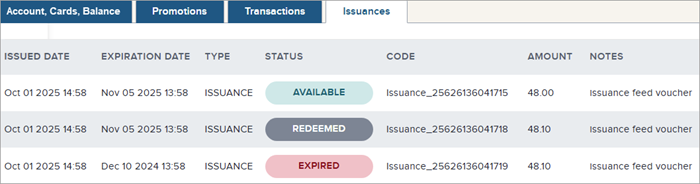
The main part of the tab shows a list of issuances involving the member.
Heading information:
- Issued Date timestamp: The date and time when the issuance occurred.
- Expiration Date timestamp: When the issuance expiry is scheduled.
- Type: The type of issuance (for example, "ISSUANCE" or "VOUCHER").
- Status: The status of the issuance (for example, "AVAILABLE" for use, "REDEEMED" if already used, or "EXPIRED" if not used before the expiration date).
- Code: A unique identifier (letters, numbers, and underscores) for the issuance.
- Amount: The amount of the issuance, shown to two decimal places if in dollars, or in points.
- Notes: Any additional explanatory notes about the issuance.
Controlling the Number of Issuances Shown and Additional Pages of Results
By default, a maximum of 20 issuances are shown in the list, but this can be changed using the Show control. The current page can also be selected. The following steps show how to control the number of issuances shown in the list:
- Select Membership > Member Search, then enter a card number or other identifier to find the member. Click their record in the results to navigate to the member details page.
- Click the Issuances tab.
- Use the controls at the bottom of the page to set the number of issuances to show (between 20 and 100) and to navigate additional pages of results (Previous/Next or click a page number).
Examples of Issuances Tab
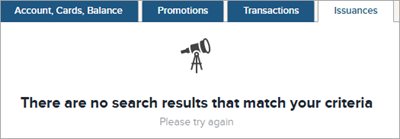
If no issuances are available for this member: